In this article
- The short answer
- Check your website in 30 seconds
- What the score means
- The three numbers that matter most
- The five most common reasons a website is slow
- 1. Images that are far too large
- 2. Cheap or poorly configured hosting
- 3. Too many plugins and a heavy theme
- 4. Sliders, videos and animations at the top
- 5. Third-party scripts
- What you can fix yourself, and what needs a developer
- Does speed affect Google rankings?
- Final thoughts
Open your own website on your phone, on mobile data rather than the office Wi-Fi. Count the seconds until you can actually read the page and tap something. That is what most of your customers experience, because most of them find you on a phone.
If you counted more than three seconds, many of them have already gone back to Google and clicked on someone else. The good news: a slow website is usually slow for a handful of very common reasons, and most of them can be fixed.
The short answer
Most slow business websites are slow because of oversized images, cheap or poorly configured hosting, too many plugins, heavy sliders or videos at the top of the page, and third-party scripts such as chat widgets. Check your mobile score first, then fix the biggest problem it points to. Aim for a score above 90, not a perfect 100.
Check your website in 30 seconds
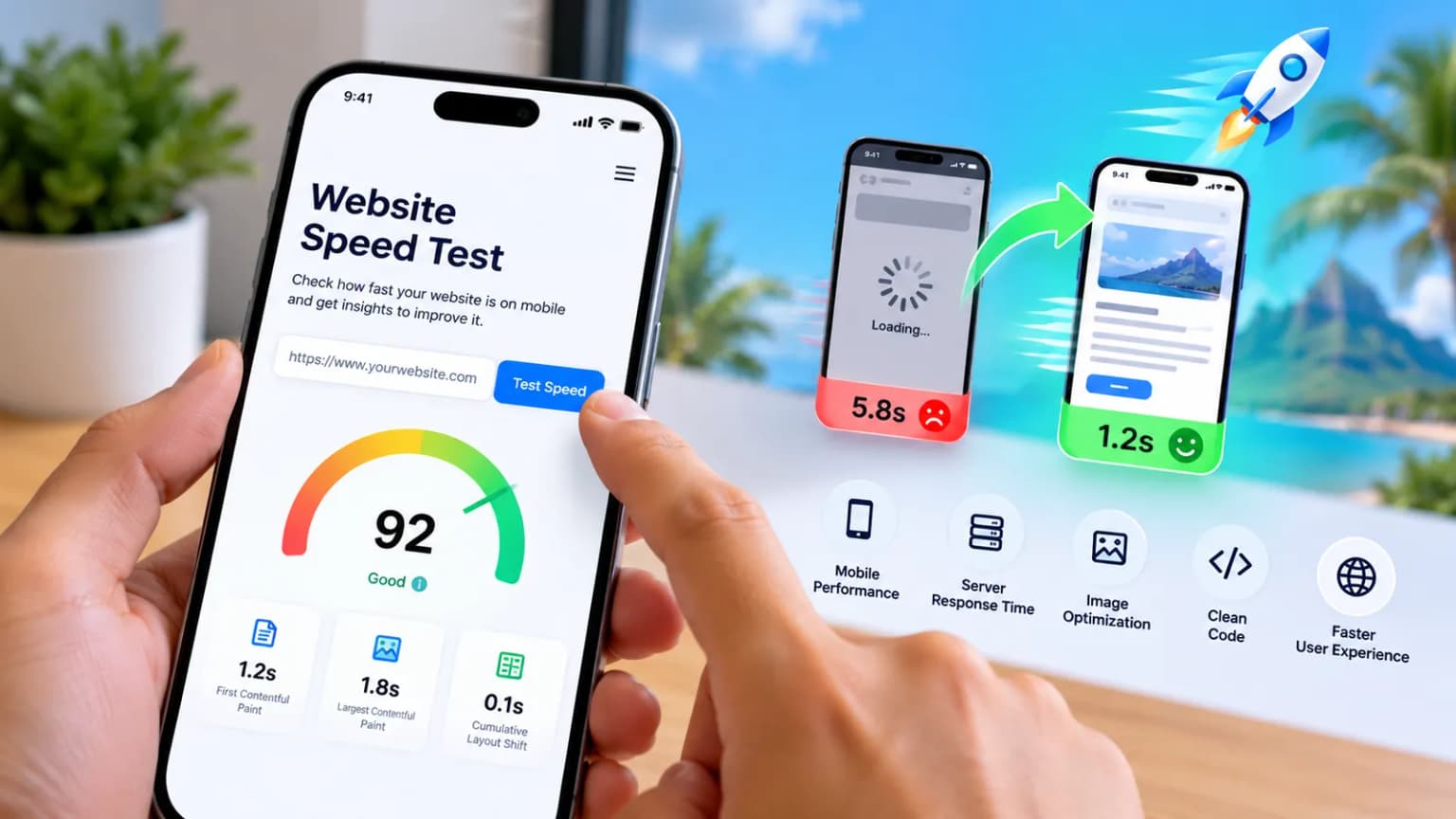
You do not need any technical knowledge for this. Enter your address in my free website check and you will see:
- Your mobile speed score out of 100, from Google’s own PageSpeed test
- The key speed numbers, each explained in plain words
- What real visitors experienced over the last 28 days, if your site has enough traffic for Google to measure
- What Google can see: whether the page can be indexed, and whether it has a title, description and sitemap
- What to fix first, in order of what costs you the most enquiries
The test loads your page on a simulated mid-range phone over a slow 4G connection. That sounds harsh, but it is close to what many visitors are really using, especially outside Port Louis and on a busy network.
What the score means
- 90 to 100: good. Your speed is not costing you visitors.
- 50 to 89: needs work. The site loads, but some people are leaving before it does.
- 0 to 49: poor. The site is losing a real share of its visitors, and probably enquiries.
Two things to keep in mind. The score moves a little from one test to the next, so do not panic over a few points. And chasing a perfect 100 is rarely worth the money: going from 40 to 90 changes how your site feels, going from 92 to 100 usually does not.
The three numbers that matter most
Google measures the experience with three “Core Web Vitals”. You will see them in the check:
- LCP (Largest Contentful Paint): how long until the main content, usually your heading or main image, appears. Good is under 2.5 seconds.
- INP (Interaction to Next Paint): how quickly the page reacts when someone taps a button or a menu. Good is under 200 milliseconds.
- CLS (Cumulative Layout Shift): how much the page jumps around while loading. Good is under 0.1. A jumping page is what makes people tap the wrong thing.
The five most common reasons a website is slow
1. Images that are far too large
This is the number one cause by far. A photo straight from a phone or a camera can weigh 4 to 5 MB, while the same photo, correctly sized for a website, needs 100 to 200 KB. Put ten of those on a page and your visitor is downloading a small video before they can read anything.
The fix: resize images to the size they are actually displayed, use a modern format such as WebP, and only load images further down the page when the visitor scrolls to them.
2. Cheap or poorly configured hosting
If your server takes a second or more just to start answering, everything else waits behind it. Very cheap shared hosting, a server far from your visitors, and no caching are the usual reasons. In the check, this shows up as a slow “server response”.
The fix: turn on caching, use a CDN so your pages are served from close to your visitors, and move to better hosting if the server itself is the bottleneck.
3. Too many plugins and a heavy theme
This one is especially common on WordPress. Every plugin and every “all-in-one” theme or page builder adds its own code, often on every page, even where it is not used. Twenty or thirty plugins can quietly double the weight of a page.
The fix: remove what you no longer use, replace several small plugins with one that does the job well, and avoid themes that load dozens of features you will never need.
4. Sliders, videos and animations at the top
A homepage slider loads five large images to show one at a time, and few visitors wait for the second slide. An autoplaying background video can be heavier than the rest of the site combined. Since this content is the first thing on screen, it directly delays your LCP.
The fix: one strong image and a clear headline usually work better than a slider, for speed and for getting your message across.
5. Third-party scripts
Chat widgets, Facebook and other tracking pixels, several analytics tools at once, embedded Google Maps, Instagram feeds, booking and review widgets: each one loads code from another company’s server, and you have no control over how fast it is.
The fix: keep only the tools you actually use, load them after the page is ready, and replace live embeds such as maps with a simple image that opens the map when tapped.
What you can fix yourself, and what needs a developer
You can usually handle a few things yourself: resizing photos before uploading them, deleting plugins you do not use, and removing a slider or widget you do not really need. Server response, caching, how scripts are loaded and a heavy theme generally need a developer, because a wrong setting can break the site or the checkout.
One warning: installing yet another “speed” plugin on top of a slow site rarely solves the problem, and two caching plugins together often make things worse.
Does speed affect Google rankings?
Yes, but it is not the biggest factor. Google uses Core Web Vitals as one of many signals, and relevant, useful content still matters more. Where speed really counts is with your visitors: a fast site gets more people to the contact form, the booking page or the checkout. And when two businesses have similar pages, the faster one has an advantage. For the bigger picture, read why SEO still matters in 2026.
Final thoughts
A slow website does not announce itself. Nobody calls to say they left because the page took six seconds; they simply go to the next result. Run the free check on your homepage and your most important page, fix the biggest problem first, and check again after every major change. Speed is not a one-off job: new images, plugins and widgets slowly add up, which is part of what happens after your website goes live.
Want help speeding up your site? See website support and maintenance, SEO and digital marketing, or contact me.